
How Universal Share Links Solve the App Mismatch Problem in Music Sharing
The Hidden Challenges of Cross-Platform Music Sharing
Every major streaming platform encodes its content into proprietary URL structures. A Spotify track link contains Spotify’s internal track ID, while an Apple Music link carries Apple’s catalog reference. When you copy and paste that link into a message, you’re handing your recipient a pointer that only works within one ecosystem.
The recipient’s phone sees the link, checks which app should handle it, and either opens the streaming service you use (forcing them to create an account or log in) or defaults to a web player. Neither outcome is what you intended. According to research on music sharing behavior, people share music primarily to connect and communicate, but technical friction disrupts that intent when the recipient can’t access the content in their preferred app.
The failure isn’t a bug in any single app; it’s the design. Each platform protects its catalog and user base by making its links work only within its own walls. A Spotify user sending a link to an Apple Music user is essentially speaking two different languages, and the recipient’s device has no built-in translator.
This issue is most pronounced when your contacts use a mix of services. If everyone in your group subscribes to Spotify, native Spotify links work fine. The problem surfaces when you’re sharing across a mixed audience, some on Apple Music, some on YouTube Music, some on Tidal, and you want everyone to hear the same track without friction.
Why App Mismatches Occur and How to Avoid Them
The common assumption is that a music link is just a web address, and web addresses work everywhere. That’s true for most URLs, but streaming services intentionally limit how their links behave outside their own apps.
When you share a Spotify link, it includes a deep link protocol that tells iOS or Android to open Spotify if it’s installed. If the recipient doesn’t have Spotify, the link redirects to a web player or an app store prompt. The same logic applies to Apple Music, YouTube Music, and every other service. Each platform wants to keep you inside its app, so the link structure is designed to funnel traffic back to that specific service.
The mismatch occurs because there’s no universal protocol for music content. A YouTube Music link points to a YouTube video ID; a link from another service points to that platform’s catalog entry. Even when the same song exists on both platforms, the two links are completely different and can’t be swapped interchangeably.
Avoiding mismatches means either confirming everyone uses the same app before you share or using a tool that converts the link into a format that works across platforms. The first option is simple but only scales within small, homogeneous groups. The second requires an intermediary step, something that takes your original link, looks up the same track on other services, and wraps all those versions into a single shareable URL.
Skip the intermediary only when you’re certain your recipient uses the same service you do. Otherwise, you’re gambling that they’ll tolerate the friction of logging into an unfamiliar app or settling for a web preview.
Understanding Universal Share Links: The Key to Seamless Sharing
A universal share link is a redirect layer that sits between your original music link and the recipient’s device. You paste your Spotify link into a converter, and it generates a new URL that contains references to the same track on Spotify, Apple Music, YouTube Music, Tidal, and other supported platforms.
When someone taps that universal link, the redirect layer checks which music apps are installed on their device and routes them to the version that matches their setup. An Apple Music subscriber sees the Apple Music version; a YouTube Music user opens YouTube Music. Everyone lands in the app they already use, with the same track queued up.
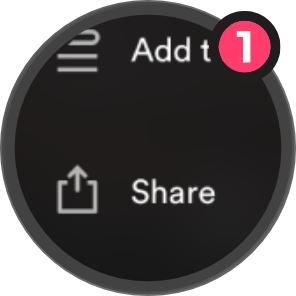
Share as Usual
Share your song or location like you normally would.
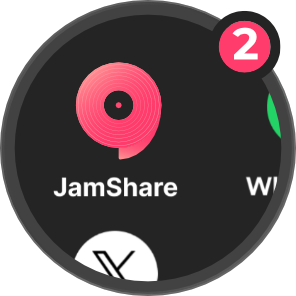
Tap JamShare
Tap JamShare, and we’ll handle the rest.
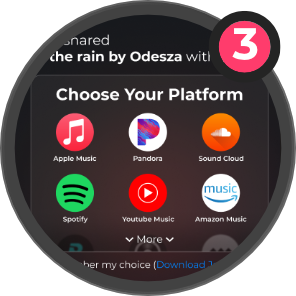
Open Anywhere
Recipients can choose their preferred app to open.
The process depends on catalog matching. JamShare uses native search and direct API access to each supported streaming service: when a user shares a song, the platform recognizes it through one service’s API and then queries the APIs of all other major platforms to retrieve links to that same track on each one. The entire lookup completes in under a second. If a track isn’t available on a particular service, that platform gets excluded from the universal link, but the others still work.
This approach solves the app mismatch by making the link adaptive instead of static. Instead of forcing everyone into your ecosystem, you send one link that adapts to theirs. The trade-off is an extra step for the sender; you have to run your link through a converter before sharing, but the recipient’s experience becomes frictionless.
Universal link converters work best for singles and albums, where catalog matching is straightforward. Playlists are trickier because not every platform supports playlist imports, and even when they do, the track order and availability can vary between services.
Myth vs. Reality: The Limitations of Music Sharing Apps
Most people assume that if a music sharing tool exists, it must handle every scenario: playlists, albums, singles, podcasts, and live content across every streaming service. The reality is narrower.
Playlist sharing is supported on Spotify, Apple Music, YouTube Music, Tidal, and SoundCloud, but not universally. Some platforms don’t expose playlist data in a way that third-party tools can reliably import. Streaming services continue to prioritize revenue and user retention within their own ecosystems, which means universal sharing links will remain essential as the bridge connecting listeners across platforms. If you share a playlist from a service with limited API access through a universal link, recipients on other platforms may get individual tracks but not the full playlist structure.
Album and single sharing works more reliably because the catalog metadata is standardized. A song has a title, artist, and album; those fields are consistent across platforms, so matching is straightforward. Playlists, by contrast, are user-generated collections with no universal identifier, making cross-platform imports fragile.
Another limitation involves live content and region-locked tracks. If a song is available in the US but not in Europe, a universal link can’t override licensing restrictions. The recipient in Europe will see an error even if the link itself is valid. The tool can only route to content that exists on the recipient’s platform in their region.
The myth that “one link works everywhere, always” breaks down at the edges. Universal share links solve the app mismatch problem for standard catalog content, but they don’t bypass licensing, platform-specific features, or missing catalog entries. When sharing a deep cut or a regional exclusive, confirm availability on the recipient’s platform before sending.
“One link works everywhere, always” is a myth. Universal share links solve the app mismatch problem for standard catalog content, but licensing and missing catalog entries still create gaps.
Checklist for Choosing the Right Music Sharing Method
Picking the right sharing method depends on who you’re sending to and what you’re sending. Use this checklist to decide:
The right method matches your recipient’s setup with the least friction. If you’re unsure, ask which app they use before you share.
Related JamShare guides
- How to share music across platforms
- The best way to share Spotify, Apple Music, and YouTube Music links
- Why music + maps matter
- Share music across apps without app mismatch
Frequently Asked Questions
Making the Call on Your Share
Before you send a music link, confirm which app your recipient uses. That single question eliminates most sharing friction. If your contacts span multiple platforms or if you share music frequently with a mixed audience, a universal link tool removes the guesswork and ensures everyone lands in their preferred app.
If you’re tired of asking “can you open this?” every time you share a track, JamShare handles cross-platform music and location sharing with a single universal link and stores your shared links so you can reference them later without digging through old messages.