
Why Map Links Break Across Apps
Each major navigation app creates its own link format that only works within its ecosystem. Google Maps generates a maps.google.com link, Apple Maps uses a maps.apple.com URL, and Waze has its own structure. None of them are designed to work with each other.
When someone receives a link from an app they don’t use, the link either fails to open or launches a browser version that prompts them to install the sender’s app. Most people won’t do that. Instead, they copy the location name, switch to their own navigation app, paste it into the search bar, and hope the right place comes up. It’s extra steps every time.
Google Maps, Apple Maps, Waze, and other navigation services each generate links in their own proprietary format. A Google Maps link will not automatically open in Apple Maps or Waze on a recipient’s device. Even web-based links don’t solve the problem cleanly, because they typically default to opening in a browser rather than routing directly to the recipient’s installed navigation app. The friction isn’t just technical; it’s a conversation: “What app do you use?” “Can you send it again in Apple Maps?” That back-and-forth happens because the link format itself is platform-locked.
How Universal Map Links Work
A universal map link tool creates a single shareable link that opens in each recipient’s preferred navigation app. The sender shares once, and each person opens the location in the app they already use. The mechanism is straightforward: the link detects which navigation apps the recipient has installed on their device, then routes the location data to the appropriate app automatically. No manual copying. No asking which app they prefer.
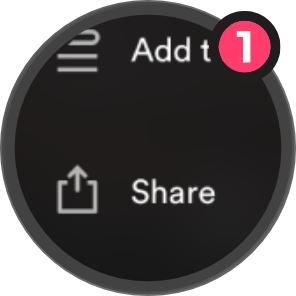
Share as Usual
Share a place like you normally would.
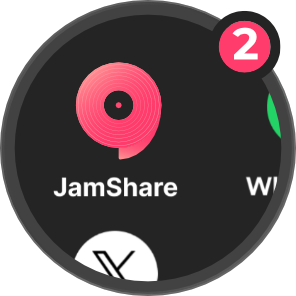
Tap JamShare
Tap JamShare, and we’ll handle the rest.
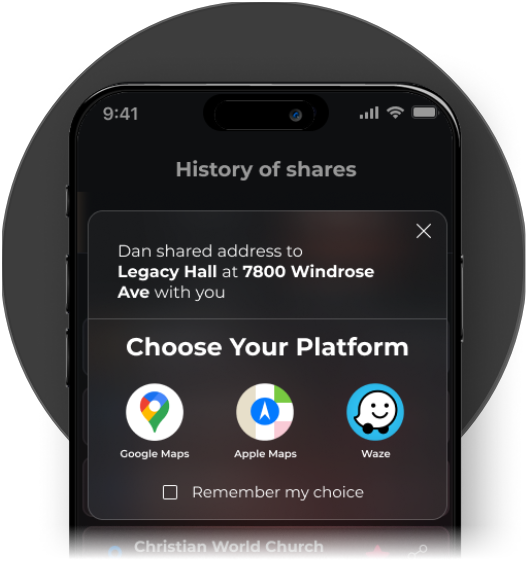
Choose Your Platform
Recipients open the address in Google Maps, Apple Maps, or Waze, whichever they use.
This approach removes the friction of sending multiple links or starting a conversation about app compatibility. You share one link. Someone with Google Maps opens it in Google Maps. Someone with Apple Maps opens it there. Someone with Waze sees it in Waze. The sender doesn’t need to know or care.
Recipients choose which navigation app they prefer by setting their default platform in JamShare’s settings. If they haven’t configured a preference, JamShare displays a platform picker showing all compatible apps they can open the location in. Most people have one primary navigation app they use consistently, so the tool’s detection handles the majority of cases without requiring the recipient to make a manual selection. The sender’s workflow stays simple: copy the location, generate the universal link, and share it once.
Choosing the Right Tool for Your Contacts
First, check which navigation apps the tool supports. If your contacts primarily use Google Maps, Apple Maps, and Waze, the tool needs to handle all three. If someone in your group relies on a less common app, verify compatibility before you commit. A universal link that doesn’t support the recipient’s app isn’t universal.
As of 2026, JamShare supports:
Device compatibility matters just as much. iOS and Android users may have different default apps, and the tool needs to work on both platforms without requiring workarounds.
If you also share music or playlists regularly, look for a tool that handles both location and music sharing in one place. Juggling separate tools for different types of links adds friction back into the process. JamShare supports both music and location sharing, so you can send a playlist and a meeting spot without switching apps. One tool, both use cases covered.
A universal link that doesn’t support the recipient’s app isn’t universal.
Common Pitfalls When Sharing Locations
Related JamShare guides
- How universal map link tools eliminate app mismatches in location sharing
- Share music across apps without app mismatch
- Why music + maps matter
Frequently Asked Questions
One Link, Every App
Before you share your next location, confirm the tool supports the navigation apps your contacts actually use and works on both iOS and Android. Test it once with a friend who uses a different app than you do, and you’ll know whether it handles the routing cleanly or introduces new friction. If you’re already sharing music or playlists across platforms, JamShare handles both location and music links in one place, so you don’t need separate tools for different types of shares.